


Best Personal Finance Apps
To Manage Your Money in 2026
A region-aware breakdown of the strongest budgeting and money management apps for the US, UK, and Canada — what each one actually does well, and how to pick between them.
The “best” personal finance app depends heavily on where you bank, not just what features you want. An app built around US retirement accounts and Plaid bank syncing can feel clunky the moment you cross into UK Open Banking or Canadian registered accounts like the TFSA. This guide breaks down strong options for each region separately, alongside the features and questions worth checking before you commit to one.
This article is educational, not personalized financial advice. App pricing, features, and availability change often — always confirm current details on the app’s own website before subscribing. Mentioning an app here isn’t an endorsement or guarantee of its service quality.
Why a Finance App Beats a Spreadsheet in 2026
Spreadsheets still work, and plenty of disciplined people swear by them. But most people abandon manual tracking within a few weeks simply because it requires remembering to update it. Modern finance apps solve that by syncing directly with your bank, categorizing transactions automatically, and surfacing insights you’d never notice from scrolling a statement — like a subscription you forgot to cancel or a category where spending quietly crept up.
The market has also consolidated and matured over the past couple of years. Mint, long the most recommended free budgeting app in the US, was fully shut down by its parent company in 2024, and a large share of its users migrated to alternatives like Monarch Money and Empower. If you’re seeing an old “best apps” list still recommending Mint, it’s outdated — worth keeping in mind if you’re comparing sources.
What’s replaced that era is a more fragmented but arguably stronger landscape: dedicated zero-based budgeting apps, net-worth-focused dashboards, and country-specific tools that actually understand local accounts like a UK ISA or a Canadian RRSP, rather than treating every reader as a US-based user by default.
This fragmentation is actually good news for most people, even if it makes “just tell me the one best app” harder to answer. It means there’s now a genuinely well-suited option for almost every budgeting style and country, rather than everyone being funneled into the same one-size-fits-all product simply because it happened to be the biggest name.
What to Check Before You Choose an App
Before comparing specific apps, run through this checklist — it filters out most bad fits quickly.
Does it support your bank properly? Bank sync quality varies significantly by country and even by individual bank. Check reviews specific to your bank, not just the app in general.
Does it display your local currency by default? Some US-built apps default to USD even for non-US users, which creates confusion for UK and Canadian users tracking spending in GBP or CAD.
Does it understand your account types? A Canadian user wants TFSA and RRSP tracking; a UK user wants ISA support; a US user wants 401(k) and IRA visibility. Generic tools sometimes miss these entirely.
What’s the actual pricing after any trial period? Many apps advertise a discounted first year — check the renewal price before committing.
How is your data protected? Look for read-only bank connections, encryption details, and a clear data privacy policy rather than vague marketing language.
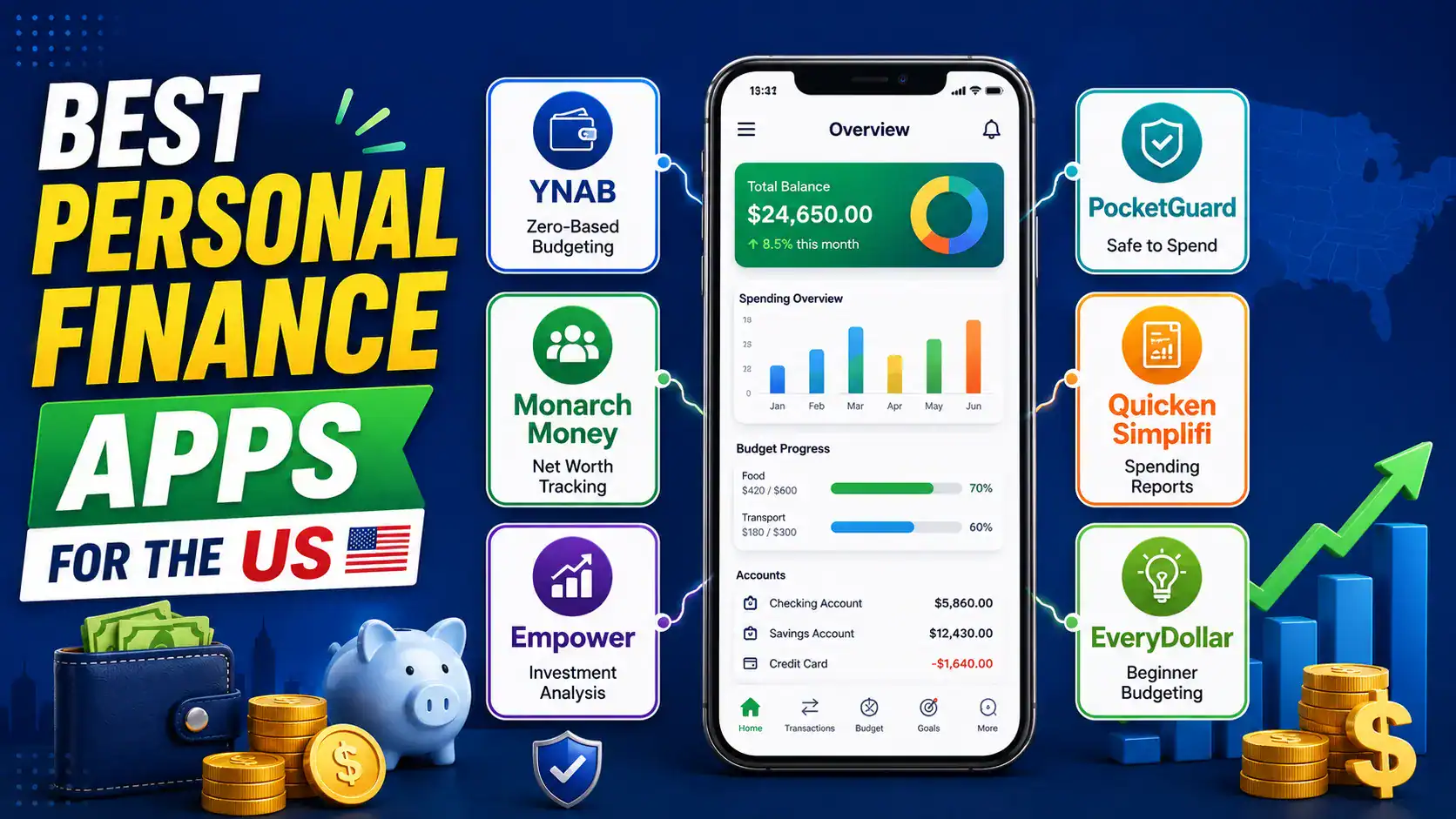
Best Personal Finance Apps for the US
The US has the deepest bench of options, largely because most budgeting apps are still built US-first before expanding elsewhere.
| App | Best for | Standout feature |
|---|---|---|
| YNAB | Hands-on, zero-based budgeters | “Give every dollar a job” proactive budgeting philosophy |
| Monarch Money | All-in-one budgeting plus net worth | Clean interface, strong shared-finance tools for couples |
| Empower | Investment tracking alongside budgeting | Free portfolio analysis and investment checkup tools |
| PocketGuard | Simple “what’s safe to spend” tracking | Instantly shows spendable balance after bills and goals |
| Quicken Simplifi | Detailed, customizable reporting | Real-time adjusting personalized spending plan |
| EveryDollar | Beginners following Dave Ramsey’s method | Simple zero-based budgeting with guided coaching content |
Most of these connect through Plaid, a widely used financial data network supporting thousands of US institutions, which is why bank syncing tends to feel especially reliable for US-based accounts specifically.
Which US app fits which mindset
YNAB and EveryDollar both lean into proactive, zero-based budgeting, meaning they suit people who want to plan spending before it happens rather than review it afterward. Monarch Money and Quicken Simplifi sit closer to a middle ground — automatic tracking with strong reporting, less manual category assignment required. PocketGuard leans the most hands-off, boiling everything down to a single “safe to spend” number. Empower stands apart from the rest by leaning more toward investment and net worth tracking than day-to-day budgeting, making it a better fit for someone who already has spending under control and wants visibility into long-term wealth instead.
Best Personal Finance Apps for the UK
The UK’s Open Banking regulation gives apps a standardized, secure way to read account data directly from your bank with your permission, which has produced a strong local ecosystem distinct from US-first tools.
| App | Best for | Standout feature |
|---|---|---|
| Emma | Linking multiple UK accounts into one view | Combined dashboard across banks, cards, and savings |
| Snoop | Spotting price changes and unusual spending | Automatically flags bill increases and better deals |
| Plum | Automated saving without thinking about it | Reads spending patterns and moves small amounts into savings |
| Monzo / Starling | Users who want budgeting built into their bank | No separate app needed — budgeting tools live in the banking app itself |
| YNAB | Strict, methodical zero-based budgeters | Same proven framework as its US version, available in the UK |
If privacy is a priority, some UK-focused trackers also offer on-device options that avoid Open Banking connections entirely, storing data locally rather than syncing it to a third party — worth considering if you’d rather not link your bank directly to an app.
One advantage UK users have that’s easy to overlook: because Open Banking is a regulated standard rather than a patchwork of individual bank partnerships, switching between UK budgeting apps tends to be less painful than in markets without an equivalent standard. If one app’s interface doesn’t click for you, moving to another rarely means starting your bank connection setup from scratch in a fundamentally different way.
Best Personal Finance Apps for Canada
Canadian users have historically had fewer dedicated options than the US or UK, and a common complaint is that many popular apps are US-built and don’t fully understand Canadian registered accounts.
| App | Best for | Note |
|---|---|---|
| YNAB | Zero-based budgeting, works well in CAD | Same framework as elsewhere, generally well supported in Canada |
| Wealthsimple | Automated saving and investing together | Popular Canadian robo-advisor with a spare-change roundup feature |
| PocketSmith | Forecasting your finances months ahead | Projects future balances based on income and spending patterns |
| Monarch Money | Polished all-in-one budgeting and net worth | Bills in USD and remains US-first in design, worth checking bank sync quality for your specific bank |
| EQ Bank | High-interest saving alongside basic tracking | More of a digital bank with savings tools than a full budgeting app |
If TFSA and RRSP visibility matters to you specifically, look for apps that explicitly market Canadian registered account support rather than assuming a US-built app will handle them well — this is consistently the most common complaint in Canadian user reviews.
Canadian users are also more likely than US or UK users to end up combining two tools rather than relying on one — for example, a budgeting app like YNAB alongside a Canadian-specific investment tracker, since few single apps currently cover both budgeting and registered-account investment tracking equally well for the Canadian market. This is expected to keep improving as more Canadian-built fintech products mature, but it’s worth planning for in the meantime.
Budgeting Methods Apps Are Built Around
Most apps aren’t just interfaces — they’re built around a specific budgeting philosophy, and picking one that matches how you think about money matters more than picking the app with the most features.
Zero-based budgeting
Every dollar of income is assigned a job — bills, savings, spending — before the month starts. Hands-on but highly effective for people who want full control.
Automatic tracking
The app categorizes spending after it happens and shows you patterns, without requiring you to plan every dollar in advance. Lower effort, more passive.
Envelope method
A digital version of the classic cash-envelope system — money is divided into virtual categories with hard spending limits per category.
Net worth tracking
Less focused on day-to-day spending, more focused on the big picture — assets minus debts, tracked over time, often paired with investment monitoring.
If you’ve tried budgeting apps before and abandoned them, mismatched methodology is a common, overlooked reason — a hands-off tracker won’t satisfy someone who wants granular control, and a strict zero-based system can feel like a chore to someone who just wants a general spending overview.
A quick way to self-diagnose which style fits you: think back to the last time you tried to budget, whether on paper, in a spreadsheet, or in a previous app. If you abandoned it because it felt like too much upkeep, an automatic tracker is likely a better fit than another zero-based system. If you abandoned it because it felt too passive and you never actually changed your spending, a stricter zero-based approach may finally give you the structure that was missing.
Free vs Paid: What You Actually Get
Free tiers exist across most of these apps, but the gap between free and paid varies a lot by app.
Manual entry vs automatic sync. Some free tiers require manually entering transactions, while automatic bank syncing is locked behind a paid subscription.
Ad-supported free tiers. A handful of genuinely free apps stay free by showing ads or promoting credit card offers, which is worth weighing against a low-cost paid alternative without ads.
Reporting depth. Custom reports, forecasting tools, and detailed category breakdowns are frequently reserved for paid tiers even when basic tracking is free.
Trial pricing vs renewal pricing. Discounted first-year pricing is common — always check what the subscription actually costs after the first renewal.
For most beginners, trying a free tier for a month before paying for anything is a reasonable way to confirm the app’s bank sync and interface actually work well with your specific accounts before committing financially.
How Bank Syncing and Security Actually Work
Most finance apps don’t store your actual bank login credentials themselves — they connect through an intermediary financial data network, most commonly Plaid in North America or Open Banking-certified providers in the UK, which securely relay read-only account data.
| Region | Common connection method | How it works |
|---|---|---|
| US & Canada | Plaid | Connects to thousands of banks, relays read-only transaction and balance data |
| UK | Open Banking (regulated) | Standardized, government-regulated system for secure, permissioned account access |
Read-only access is standard and expected. A legitimate budgeting app should only be able to view your transactions and balances, never move money or make payments on your behalf, unless you’re specifically using a payment-enabled feature you knowingly opted into.
What Happens to Your Data
Beyond the connection method itself, it’s worth understanding what an app does with your data once it has it. Most reputable apps encrypt data both in transit and at rest, and many explicitly state in their privacy policy whether they sell or share data with advertisers — a detail worth checking directly rather than assuming.
Free apps in particular are worth extra scrutiny here, since a genuinely free product without ads or affiliate promotions still needs to generate revenue somehow. That’s not automatically a red flag — some free apps are funded by referral commissions on financial products they recommend, which is a reasonably transparent model — but it’s worth understanding the business model behind any app before treating its recommendations as fully neutral.
Budgeting Apps vs Net Worth Trackers
These two categories get lumped together but solve different problems, and some apps genuinely do both.
| Focus | Answers the question | Example approach |
|---|---|---|
| Budgeting app | “Where is my money going this month?” | Category-based spending limits and tracking |
| Net worth tracker | “Am I actually getting wealthier over time?” | Assets minus liabilities, tracked across months and years |
| Combined tools | Both, in one dashboard | Day-to-day spending plus long-term investment and net worth visibility |
If your main goal is short-term spending control, a dedicated budgeting app is usually more useful day-to-day. If your goal is long-term wealth building and you already have spending broadly under control, a net-worth-focused tool may be more motivating to check regularly.
Apps for Couples and Shared Finances
Managing money as a couple adds a layer most solo-focused apps weren’t built for — shared visibility without necessarily merging every account.
Look for shared dashboards with individual account visibility, rather than forcing both partners into one combined login that hides who’s tracking what.
Check whether both partners get their own login. Sharing a single login is a common workaround but limits accountability and personalized notifications.
Confirm shared goal-tracking features exist if you’re saving toward something together, like a house deposit or a trip — this is a differentiator, not a given, across apps.
Several of the all-in-one apps mentioned earlier in this guide specifically market strong shared-finance features for couples, which is worth prioritizing if this applies to your situation rather than treating it as an afterthought.
How to Pick the Right One for You
Want full control over every dollar? Try a zero-based budgeting app. Want a hands-off overview? Try an automatic tracker. Mainly care about long-term wealth, not daily spending? Try a net worth tracker. Managing money with a partner? Prioritize shared dashboard features. Based in the UK or Canada specifically? Start with a region-built option before a US-first app.
It’s worth resisting the urge to pick based purely on a “best of” ranking without checking that the app actually connects cleanly to your specific bank — a technically excellent app with unreliable syncing for your bank will frustrate you regardless of its feature list.
Common Mistakes People Make With Finance Apps
| Mistake | Why it hurts |
|---|---|
| Picking based on hype, not fit | The most-recommended app online isn’t automatically the best match for your bank or budgeting style |
| Abandoning after one bad sync | Occasional sync issues happen with most apps — check if it’s a pattern before giving up entirely |
| Never checking renewal pricing | Discounted first-year offers can jump significantly at renewal if unchecked |
| Connecting every account “just in case” | Adds clutter and setup time without adding real budgeting value if you never review those accounts |
| Ignoring the app after setup | Automatic tracking still requires occasional review to actually change spending behavior |
Frequently Asked Questions
What happened to Mint?+
Are budgeting apps safe to connect to my bank account?+
Do I need a paid app, or is free enough?+
Can I use a US-based app if I live in the UK or Canada?+
What’s the difference between a budgeting app and a net worth tracker?+
How long does it take to see results from using a finance app?+
Conclusion
The strongest personal finance app in 2026 isn’t a single universal answer — it’s whichever one actually syncs cleanly with your bank, matches how you naturally think about budgeting, and fits your country’s account types without forcing you to work around its limitations. A US-built app that’s excellent for a US user can feel noticeably clunkier for someone in the UK or Canada, and vice versa.
Start with the region-specific shortlist that matches where you bank, try the free tier of one or two options for a few weeks, and let actual day-to-day use — not a ranked list — decide which one earns a permanent place on your phone.
And if the first app you try doesn’t click, that’s a normal part of the process, not a sign that budgeting apps aren’t for you. The goal isn’t finding a perfect app on the first attempt — it’s finding one you’ll actually keep opening a year from now.
