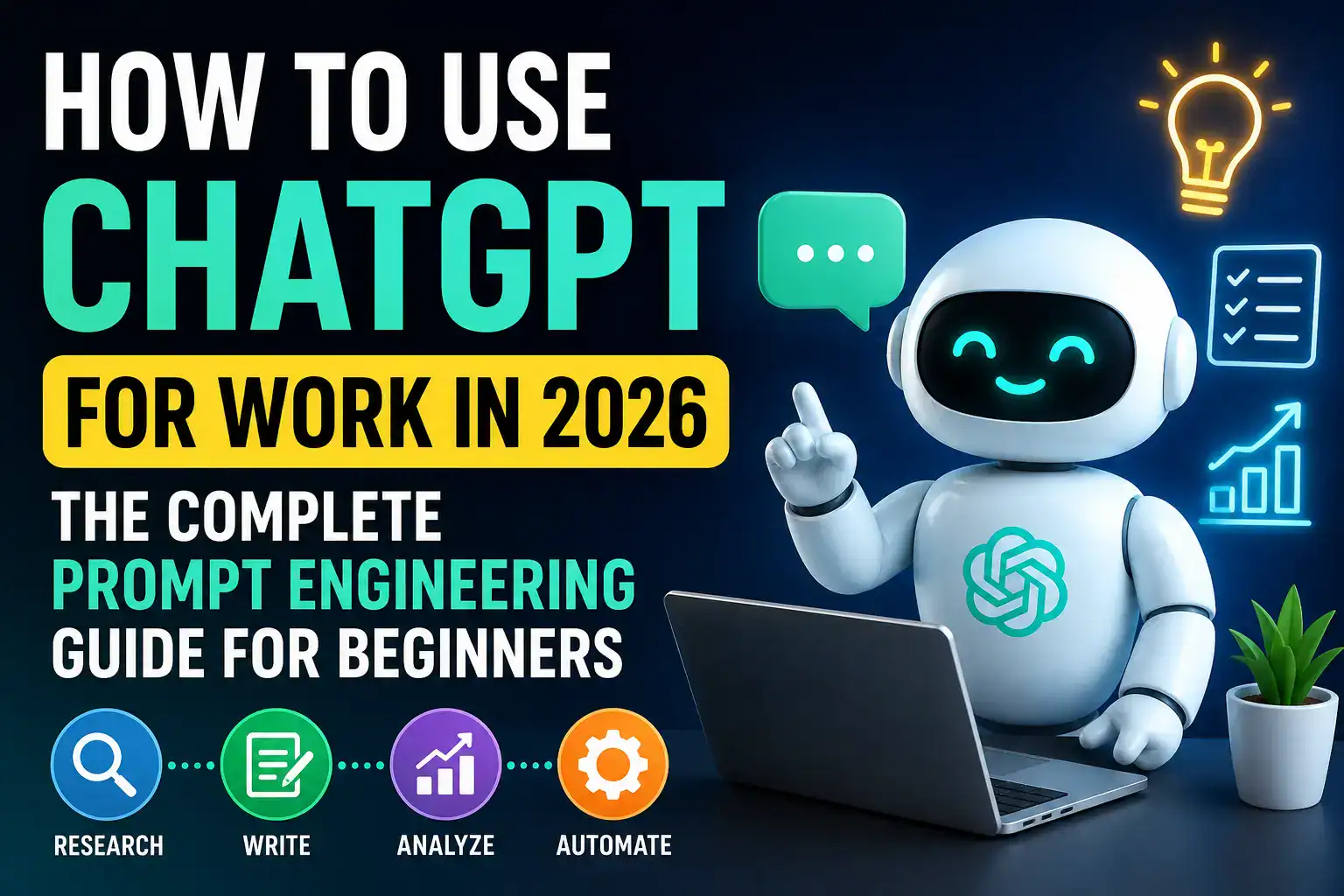

How to Use ChatGPT for Work
The Complete Prompt Engineering Guide for Beginners
A practical, no-jargon playbook for turning ChatGPT into a real productivity tool — with frameworks, ready-to-copy prompts, and examples for every department.
Artificial intelligence has moved from novelty to daily work tool. In 2026, ChatGPT shapes how marketers write copy, how analysts summarize data, and how managers draft reviews — and the people who get the most out of it aren’t the most technical, they’re the ones who ask for what they want clearly. That skill is called prompt engineering, and this guide teaches it from zero.
Why ChatGPT Is a Workplace Essential in 2026
Artificial intelligence has moved from a novelty to a daily work tool. It’s no longer something only tech teams experiment with — it’s part of how marketers write copy, how analysts summarize data, how managers draft performance reviews, and how support teams respond faster to tickets. The people who get the most out of it are not necessarily the most technical; they are the ones who know how to ask for what they want clearly.
That skill has a name: prompt engineering. It sounds intimidating, but at its core it’s simply the practice of communicating with an AI model so it gives you accurate, useful, relevant results. Just as effective Googling once felt specialized and is now second nature, prompting is becoming basic digital literacy.
This guide is built for beginners. No coding background required. You’ll learn how to structure prompts, which frameworks to reuse across tasks, and how to apply ChatGPT to real scenarios — writing emails, building reports, planning projects, analyzing information — with dozens of ready-to-use prompts you can copy today.
What Is Prompt Engineering and Why It Matters
Prompt engineering is the process of designing the input you give an AI model so the output matches your intent as closely as possible. ChatGPT doesn’t read your mind — it responds to the words, structure, and context you provide. Two people can ask the same underlying question and get very different quality answers, simply because one gave the model more to work with.
Think of it like briefing a new employee. “Write a report” leaves them guessing at format, tone, and audience. “Write a two-page report for our sales director summarizing Q2 regional performance, using bullet points, ending with three recommendations” — that’s a brief they can execute. ChatGPT works the same way.
Prompt engineering matters at work because time is money. A well-written prompt saves rounds of back-and-forth, reduces editing time, and helps you tackle higher-value tasks instead of just simple one-off questions.
The Core Principles of Writing Great Prompts
Before templates, understand the principles that make any prompt effective — they apply across nearly every use case.
Be specific about the outcome. Vague requests produce vague answers. Instead of “a marketing plan,” specify product, audience, budget range, timeframe, and format.
Give the model a role or persona. “As an experienced HR manager” or “as a financial analyst” shapes tone, vocabulary, and depth of reasoning.
Provide context and constraints. Mention audience, purpose, tone, length, and anything the model needs to know about your situation.
Ask for a specific format. Table, numbered list, email, slide outline — say so directly and remove the guesswork.
Iterate rather than expect perfection. Treat your first prompt as a draft, and refine it the way you’d revise a brief to a colleague.
Break large tasks into smaller steps. Complex work — a full quarterly report, a content calendar — improves when requested piece by piece.
Setting Up ChatGPT for Work: Tools, Plans, and Settings
Before writing prompts, set up your workspace properly so output stays consistent and secure.
Most professionals use either the free tier or a paid plan, depending on frequency of use and whether they need faster responses, larger context windows, or team features. If you use ChatGPT daily for work, a paid plan is usually worth it — priority access, stronger reasoning, and the ability to upload and analyze spreadsheets, PDFs, and presentations.
Check your company’s AI policy first. Many organizations now have specific guidelines on what can and can’t be shared with AI tools — especially client data, financials, and proprietary strategy. Enterprise-grade accounts often add extra data protections.
It also helps to set up custom instructions, if your platform supports them — tell ChatGPT once about your role, industry, and tone preferences so you don’t repeat context in every prompt.
The Anatomy of a High-Performing Prompt
A strong work prompt generally contains five components. Not every prompt needs all five, but understanding them builds intuition fast.
| Component | Purpose | Example |
|---|---|---|
| Role | Sets perspective and expertise level | Act as a senior project manager |
| Task | States exactly what you want done | Create a project timeline |
| Context | Gives background information | For a website redesign launching in 10 weeks |
| Format | Specifies output structure | As a table with milestones and owners |
| Constraints | Sets limits or requirements | Under 15 rows, plain language |
Combine all five and you move from a vague request to a real work brief:
“Act as a senior project manager. Create a project timeline for a website redesign launching in 10 weeks. Present it as a table with milestones, owners, and deadlines. Keep it under 15 rows and use plain, non-technical language.”
This single prompt is far more likely to produce something usable than simply typing “make me a project timeline.”
Beginner Prompt Frameworks You Can Reuse
Frameworks give you a repeatable structure so you’re not starting from scratch every time.
The RTF Framework — Role, Task, Format
The simplest starting point: state the role, the task, and the format you want.
“Act as a customer service trainer. Write three example responses to an angry customer complaint about a late delivery. Format them as a numbered list.”
The CTF Framework — Context, Task, Format
Useful when background matters more than the role.
“Our company just switched to a new CRM and staff are confused about the new lead-tracking process. Write a short internal announcement explaining the change. Format it as an email under 150 words.”
The TAG Framework — Task, Audience, Goal
Helpful when tone and purpose matter as much as content.
“Write a LinkedIn post announcing our new product feature. Audience: small business owners who aren’t highly technical. Goal: generate curiosity and clicks to our website.”
The PACT Framework — Persona, Audience, Context, Task
Especially useful for content tailored to a very specific reader, like investor updates.
“Persona: a startup founder writing to investors. Audience: existing shareholders, not deeply technical. Context: we just closed a funding round and shipped two product updates. Task: write a quarterly update email, ending with an ask for enterprise introductions.”
The Step-Back Framework
Ask ChatGPT to clarify or reframe the problem before solving it — great when you’re unsure how to phrase your own request.
“Before answering, first tell me what additional information you’d need to give me a strong answer to this question: how should we price our new subscription tier?”
This kind of prompt often surfaces blind spots — competitor pricing, target segment, cost structure — before you even reach the final answer.
The Compare-and-Contrast Framework
Useful for decisions that require weighing multiple options.
“Compare these three vendor proposals side by side on cost, delivery timeline, and support quality, then recommend which best fits a mid-sized company with a tight Q4 deadline.”
Mixing these frameworks is where prompting starts to feel less like a formula and more like a flexible communication skill — the same way you naturally adjust tone depending on who you’re talking to.
Using ChatGPT for Common Work Tasks
Real use cases across the workday, with prompts you can adapt directly.
Writing and editing emails
“Rewrite this email to sound more professional and concise, keeping the main request intact: [paste your email].”
“Draft a follow-up email to a client who hasn’t responded in 10 days. Polite but firm, under 100 words.”
Summarizing documents and meetings
“Summarize this document into five key takeaways and three action items: [paste text].”
“Turn these raw meeting notes into a clean summary with decisions made, owners, and next steps: [paste notes].”
Reports and presentations
“Act as a business analyst. Create an outline for a 10-slide presentation on our Q3 sales performance, including a challenges slide and a next-steps slide.”
Brainstorming and ideation
“Generate 15 content ideas for a B2B SaaS company targeting small accounting firms — a mix of blog titles, LinkedIn posts, and email subject lines.”
Data analysis and interpretation
“Here is a table of monthly sales data. Identify trends, outliers, and possible explanations: [paste data].”
Project planning
“Break this project into phases with estimated timelines: launching a new customer loyalty program over the next 8 weeks.”
Job descriptions and HR tasks
“Write a job description for a mid-level digital marketing manager, including responsibilities, required skills, and preferred qualifications.”
Customer support responses
“Write three response templates for customer complaints about shipping delays, in a friendly but professional brand voice.”
Proposals and business cases
“Act as a business consultant. Turn these rough notes into a one-page business case for a new inventory management system, including problem statement, proposed solution, cost, and expected ROI: [paste notes].”
Competitor and market research summaries
“Here are notes on four competitors in the meal-kit delivery space. Organize into a comparison table covering pricing, target audience, and key differentiators: [paste notes].”
Internal policy and process documentation
“Draft a step-by-step onboarding checklist for new finance department employees, covering their first two weeks.”
Training materials and internal guides
“Act as an instructional designer. Create a training outline to teach new sales reps our CRM, broken into three 30-minute sessions.”
Negotiation preparation
“Act as a negotiation coach. Help me prepare talking points for a salary negotiation, including how to respond if the employer says the budget is fixed.”
Translating technical information for non-technical audiences
“Explain this technical product specification in plain language a non-technical sales team could use in a client conversation: [paste specification].”
Advanced Prompt Engineering Techniques
Once the basics feel natural, these techniques noticeably sharpen results on complex or high-stakes tasks.
Chain-of-thought prompting. Ask the model to reason step by step before the final answer — especially useful for analysis or decisions. “Walk through your reasoning step by step before giving your final recommendation.”
Few-shot prompting. Give one or two examples of the style you want, then ask the model to continue in that style — great for consistent tone across multiple pieces.
Iterative refinement. Treat the conversation as back-and-forth: get a first draft, then request specific changes — “more concise,” “add a data point,” “more formal tone.”
Constraint stacking. Layer word count, tone, audience, and required inclusions into one prompt to cut down revision rounds.
Role-based comparison. Ask ChatGPT to respond from two professional perspectives to stress-test an idea — e.g. a CFO focused on margins, then a sales director focused on growth.
System-style framing for long tasks. Define ongoing context once: “For the rest of this conversation, act as my content editor — review every draft for clarity, grammar, and tone.”
Negative constraints. Tell the model what to avoid, not just include — e.g. no jargon, no exaggerated claims, no exclamation points. This steers away from common AI writing habits.
Self-critique prompting. After a draft, ask ChatGPT to evaluate its own work against specific criteria before you revise — often faster than starting over.
Template locking. For batches — ten product descriptions, twenty job postings — provide one fully worked example first, then ask the model to replicate that exact structure.
Progressive detailing. Start broad, then ask for more depth only where needed — outline first, then expand just the “risks and mitigation” section into full paragraphs.
Prompt Engineering Mistakes to Avoid
| Mistake | Why it hurts your output |
|---|---|
| Being too vague | “Help me with this project” gives the model almost nothing to work with |
| Overloading one prompt | Too many unrelated requests in one shot leads to shallow, rushed answers |
| Skipping format | You get walls of text when you actually needed a table or short paragraph |
| Missing context | The model guesses at your industry, audience, and goals — output turns generic |
| Accepting the first draft | ChatGPT performs best in a back-and-forth, like working with a collaborator |
| Oversharing sensitive data | Pasting confidential info without checking policy creates real business risk |
Building a Personal Prompt Library
One of the most effective habits for regular users: keep a personal prompt library — a document, spreadsheet, or notes app where you save prompts that worked well, organized by task type: emails, reports, brainstorming, data analysis.
Over time this becomes a huge time-saver. Instead of rewriting a prompt from scratch, you copy a proven template, swap in new details, and get a strong first draft in seconds. Many teams share libraries internally so best practices spread across departments instead of staying locked in one person’s head.
Structure your library with four columns: task name, prompt template, example output, notes on what worked. Review and refine it every few weeks as your work evolves.
ChatGPT for Different Roles and Departments
Different teams tend to get the most value from slightly different use cases.
Marketing
Content ideation, ad copy variations, SEO outlines, social captions, campaign briefs.
Sales
Personalized outreach emails, objection-handling scripts, proposal drafts, call summaries.
HR & People
Job descriptions, interview questions, onboarding materials, policy drafts.
Finance & Ops
Summarizing reports, explaining financial concepts to non-finance staff, process documentation.
Customer Support
Response templates, FAQ drafts, tone adjustment for difficult conversations.
Product & Project
User stories, meeting summaries, roadmap drafts, risk assessments.
Regardless of department, the underlying skill is the same: clearly framing role, task, context, and format for every request.
Ethical and Practical Considerations at Work
Fact-check important outputs — especially numbers, statistics, or claims about specific people or companies. AI models can generate plausible-sounding but inaccurate information.
Be transparent with your team about how AI is used in your workflow, especially for client-facing deliverables, to maintain trust around authorship.
Avoid pasting confidential data — client info, unreleased financials, personal employee data — unless your organization has explicitly approved it and the platform meets your security requirements.
Use it as a thinking partner, not a decision-maker. Excellent for generating options and speeding up drafts — but human judgment should stay part of any consequential decision.
Ready-to-Use Prompt Templates
Copy these directly. Replace anything in brackets with your specific details.
“Act as a [role]. Write a [type of content] for [audience]. The goal is to [objective]. Keep it under [length] and use a [tone] tone.”
“Summarize the following [document/notes/data] into [number] key points, followed by a short list of action items: [paste content].”
“Create a [type of plan/timeline] for [project], covering the next [timeframe]. Present it as a [table/list] with [specific columns].”
“Rewrite this [email/message/paragraph] to be more [concise/formal/friendly], keeping the core message the same: [paste text].”
“Generate [number] ideas for [content type] targeting [audience]. Include a mix of [categories].”
“Act as a [role, e.g. financial analyst]. Review this data and identify [trends/risks/opportunities]: [paste data].”
“Draft a job description for a [role title], including responsibilities, required skills, and preferred qualifications, for [company type/industry].”
“Write three response templates for [type of customer issue], matching a [tone description] brand voice.”
Quick Reference Table: Prompts by Task
| Work task | Sample prompt starter |
|---|---|
| Email drafting | Draft a professional email requesting… |
| Meeting summary | Summarize these meeting notes into decisions and next steps… |
| Report writing | Act as a business analyst and create a report on… |
| Brainstorming | Generate 10 ideas for… |
| Data analysis | Identify trends and outliers in this data… |
| Project planning | Break this project into phases with timelines… |
| Job descriptions | Write a job description for… |
| Customer support | Write a response template for a customer who… |
| Presentations | Create a slide outline for a presentation on… |
| Policy / process docs | Draft a step-by-step process document for… |
Frequently Asked Questions
Do I need technical skills to use ChatGPT effectively at work?+
How long should a good prompt be?+
Can ChatGPT replace human writers or analysts?+
Is it safe to share company data with ChatGPT?+
How do I get more consistent results from ChatGPT?+
What’s the difference between a basic prompt and an engineered prompt?+
Conclusion
Learning to use ChatGPT well at work is less about mastering technical tricks and more about learning to communicate clearly and specifically. The frameworks, examples, and templates in this guide give you a practical starting point — but the real skill develops through repetition. The more you practice framing role, task, context, and format, the more natural it becomes, and the more time you’ll save across everyday work.
Start small. Pick one recurring task — weekly status updates, client emails — and build a reliable prompt for it this week. Save it to your library, refine it as you go, and expand from there. In 2026, prompt engineering is quickly becoming as fundamental to modern work as email or spreadsheets once were.
